National Police Clearance Renewal Online: Process & Requirements 2026
National Police Clearance is required for employment, travel, business permits, certain banking transactions, and other legal matters. However, the certificate is valid for only 6 months from the date of issuance. You need to renew the certificate before its expiry. You can apply one or two months before the expiry of the current clearance.
The National Police Clearance System (NPCS) offers convenient solutions for police clearance renewal. You can apply online for police clearance renewal after registration and login on the central clearance portal launched by the PNP. In this blog, we will provide a step-by-step guide on the procedure to apply for national police clearance renewal online using PNP Clearance website and the NPCS mobile app.

Police Clearance Renewal Application—Online Process
For online police clearance renewal applications, visit the official website and follow the following steps:
Account Registration
If you have already registered your account in the past and you have valid login details, you can skip this step and proceed to the next step for logging in. However, if you haven’t registered your account, you need to register it. The following is the procedure for account registration:
- Visit the official NPC website or use the NPC mobile app and click Register Account.
- Enter a valid email address as the login ID, a password, and other personal details as shown in the image below.
- You will receive an account confirmation via email to verify. Verify the link received in the email sent by the NPCS portal registered email, as shown below. After you verify, you can log in to the account.
Account Recovery
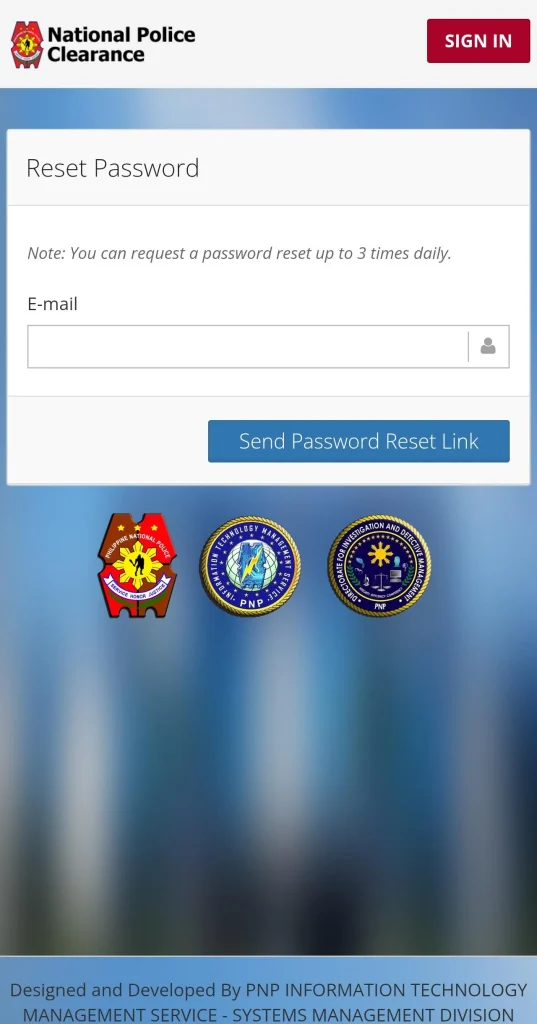
In case you had previously registered an account on the NPCS portal, but now you have forgotten the password of the account, you need to recover the password.
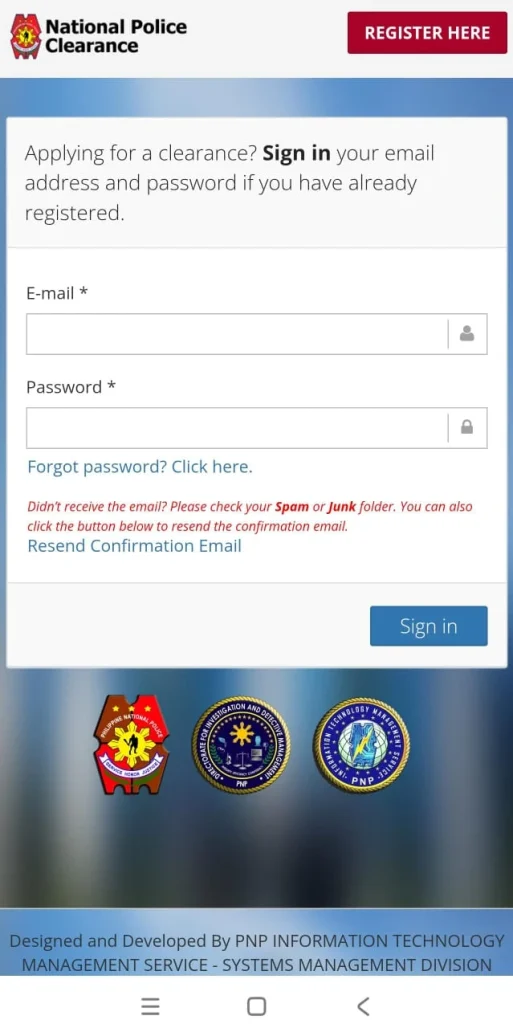
- Click on “Forgot Password? Click here” just under the password field
- Enter your previously registered email address
- Open your email inbox to see the email from NPCS with the “Password reset” link
- Click on the reset link to reset your password
- Log in with the newly set password
Login & Profile Completion
Log in with your registered account by entering the login ID (email ID) and password. Then complete your profile by providing the correct personal details and save the profile.
Police Clearance Renewal Categories
There are two types of police clearance renewal options, which are “regular renewal without appearance” & “renewal with appearance.”
Regular Renewal | Renewal without Appearance
In this type of police clearance renewal, there is no need for a physical appearance at the police station.
Eligibility:
You are eligible to apply for regular renewal if:
- There is no change in the personal record
- Existing clearance is still valid or expired less than 12 months ago.
- In this case, there’s no need for a physical appearance at the police station for verification.
Police Clearance Renewal with Appearance
Physical appearance at the police station is required after the online application.
Condition:
You have to apply for police clearance renewal with an appearance if any of the following conditions are met:
- Your last clearance has expired for more than three years.
- If there’s a change in the personal information, it needs to be updated by editing the profile after login.
In any of the above-mentioned scenarios, you have to go through a “physical appearance” at the police station selected by you on the appointment date as mentioned in the next steps.
Police Clearance Renewal (without Appearance) | Online Application
If you are eligible for regular police clearance renewal without appearance, you need to follow the below steps to acquire clearance renewal:
Apply for Regular Renewal (without appearance)
- After logging in to your account on the official PNP web portal, select the application for “renew clearance” and then choose “without appearance” for regular renewal.
- Upload soft copies of required documents. Following are some of those documents:
- Previously issued clearance certificate
- Personal picture 2×2
- Govt.-issued ID
Payment of application processing fee
- Note down the application reference number, which will be required for payment.
- Click the “pay” button; you will be redirected to the Land Bank of the Philippines (LBP) payment portal.
- Choose the suitable payment option to pay the processing fee. The following are some of the available payment options:
- Land Bank Account
- GCash
- 7-Eleven Cash payment through CLIQQ app
- Bancnet online banking
Renewal Application Fee
The base fee for police clearance clearance renewal applications is ₱150. However, there can be additional transaction service charges depending on the selected payment method. Service charges can range from ₱10 to ₱30.
Renewal Processing Time
Typically 1-3 days after payment confirmation for regular renewal.
Clearance Renewal (with appearance) | Online Application
In case of an update to your personal information or the expiry of old clearance for more than three years, you will not be eligible for regular renewal. In this case, you have to appear before the police station after scheduling an appointment.
Apply for Renewal with Appearance
- Log in to the official portal with your registered account
- Update profile, if required
- Select the “clearance renewal” application
- Choose the “with appearance” option.
Schedule Appointment at Police Station
- Select the nearby police station or verification center suitable for you to visit for biometric verification, fingerprints, and picture capture
- Choose the date and time for your appointment at the selected police station
Payment of application processing fee
- Note down the application reference number, which will be required for payment.
- By clicking on the “pay” option, you will be redirected to the Land Bank of the Philippines (LBP) payment portal.
- Choose the suitable payment option to pay the processing fee.
Payment Options:
Following are available payment options:
- Land Bank Account
- GCash
- PayMaya
- 7-Eleven cash payment through the CLIQQ app
- Bancnet online banking
Renewal Application Fee
The base fee for clearance renewal applications is ₱150. However, there can be additional transaction service charges depending on the selected payment method. Service charges can range from ₱10 to ₱30.
| Online Payment Advice |
|---|
| Complete the application processing fee transaction at least two days before the date of your appointment to avoid any possible cancellation. |
| Save the payment receipt with you; it may be required to show up at the police station at the appointment time, along with your ID and the reference number. |
Visit of Police Station
- On the date and time of your appointment, you need to visit the selected police station or verification center.
- Bring the following with you:
- Application Reference Number.
- Application processing: “Payment Receipt”
- Old clearance certificate
- Preferably two government-issued IDs to prove your identification. These could be any of the following:
- National identity card
- Passport
- Driving license
- National Health Insurance ID
- Voter’s ID
- Any other government-issued ID
- Upon presenting the above-mentioned information, the police staff will have your photo captured and fingerprints scanned.
Renewal Processing Time
After completion of the process, you should get the renewal on the same day of the appointment. However, there can sometimes be processing delays.
Delivery Mode
A soft copy (digital clearance certificate) is sent to the registered email.
Hard copy (optional) delivery is available via courier service. Additional charges may apply.
NOTE: In case of loss or damage to the previous clearance certificate, a police report will also be required in addition to other required documents.
Renewal Advice:
Renew in time to avoid delays. Applying one or two months before the expiry of the existing clearance is recommended.
HIT Status During Renewal
Even a renewal application goes through the same background check as a first-time application. As per the NPCS process, your renewed clearance is issued only after your details are checked against the national database again, regardless of how clean your previous clearance was.
If you renewed with appearance, a “No Hit” result means your new clearance is released the same day at the station, just like a first-time application. A “Hit” during renewal is rare but not impossible, and it usually happens for the same reason as first-time applicants: a name or personal detail matching someone else’s record.
If you renewed without an appearance, the system still runs the same background check in the background. A “Hit” at this stage may delay your download, and you may be asked to visit a station in person to resolve it, even though you initially avoided the trip.
A personal observation: Applicants renewing after several years, especially with a new address or an updated civil status on file, seem to trigger a “Hit” slightly more often than those renewing with unchanged details. Keeping your NPCS profile updated between renewals appears to reduce this risk.
Frequently asked questions (FAQs)
Conclusion
Having a valid clearance status is very crucial due to its requirement for employment, business permits, travel, and other legal matters. It is important to renew the clearance before its expiry. Typically, it expires every six months from the date of issuance.
Although there is convenience in applying online for the clearance renewal on the PNP clearance portal or the mobile app, there are some technical difficulties in the clearance renewal application procedure. In this article, we have addressed all the technical difficulties and explained the whole process for both categories in a step-by-step procedure. We hope our efforts will be helpful to all applicants.